
Account
Static Studio now includes a dedicated Account menu where you can manage your profile, security settings, access token, billing, and account deletion.
You can access it from the main navigation by clicking Account -> Profile in the top bar.
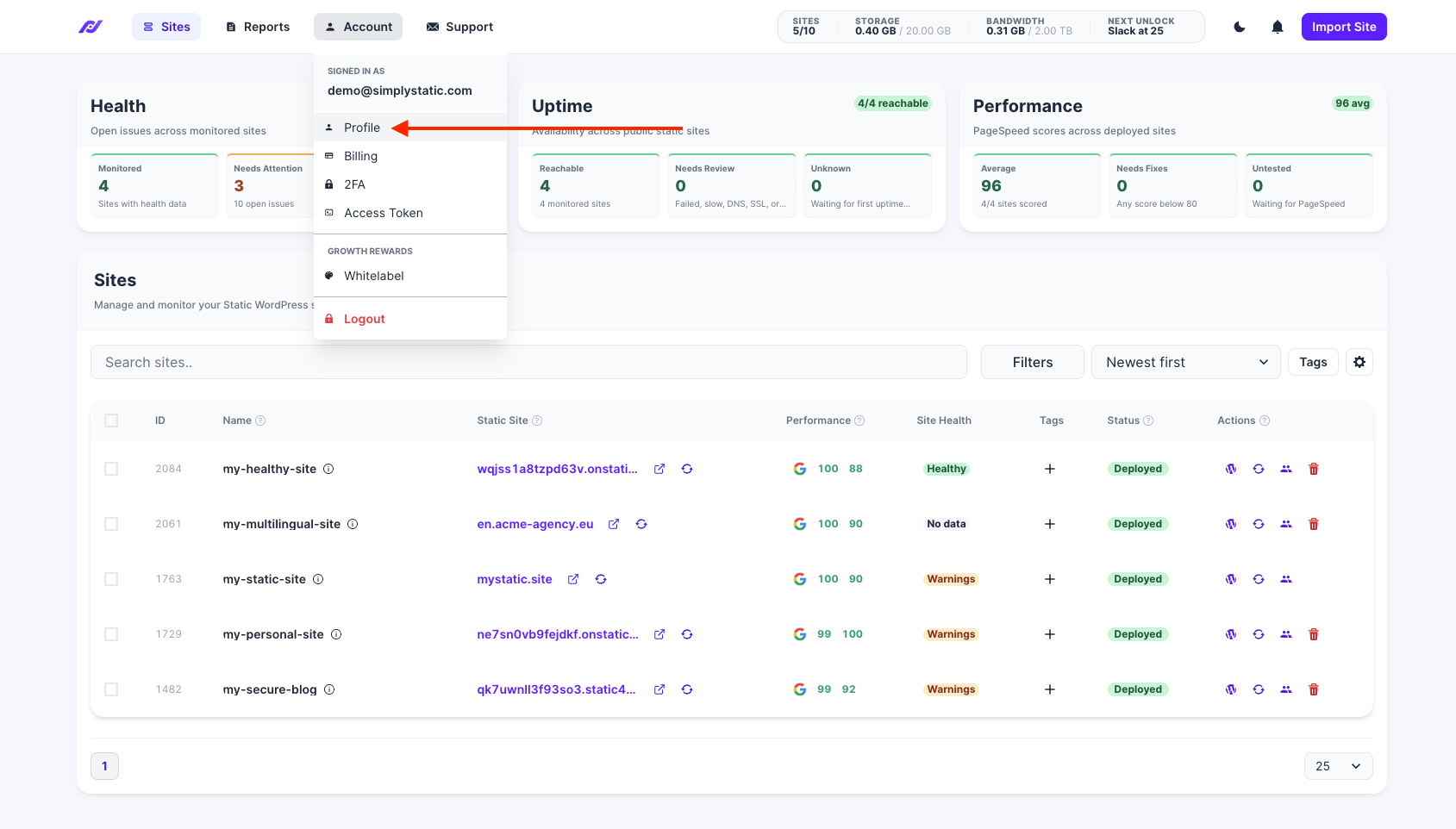
Account menu overview
The Account menu shows your currently signed-in email address and gives you access to the following areas:
- Profile - manage your email address, 2FA, access token, and account deletion
- Billing - manage your subscription and billing details
- 2FA - manage your two-factor authentication setup
- Access Token - manage your access token
- Whitelabel - manage whitelabel settings once unlocked
- Logout - sign out of Static Studio
Click Profile to open the account page
Change your email address
You can update the email address associated with your Static Studio account from the Change E-Mail tab.
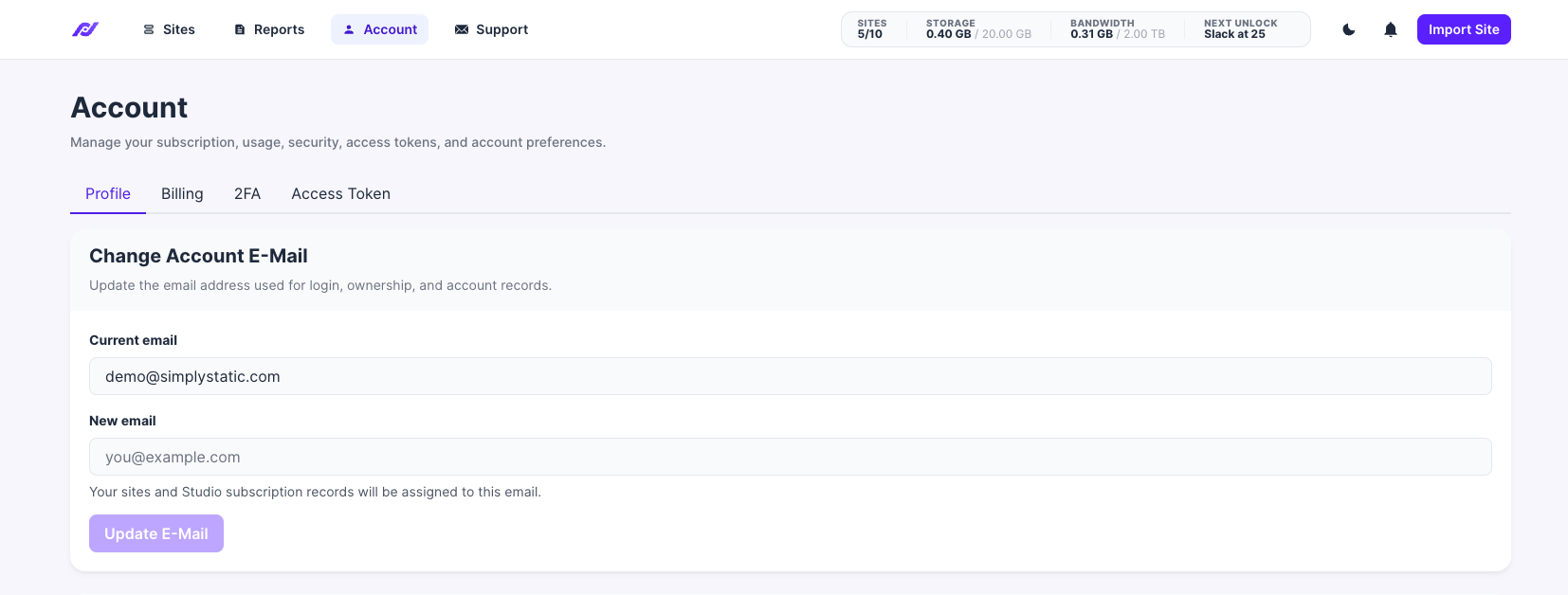
To change your email address:
- Open the Account menu.
- Click Profile.
- Enter your new email address.
- Click Update E-Mail.
Your sites and Static Studio subscription records will be assigned to the new email address.
Enable two-factor authentication
Static Studio supports two-factor authentication using an authenticator app.
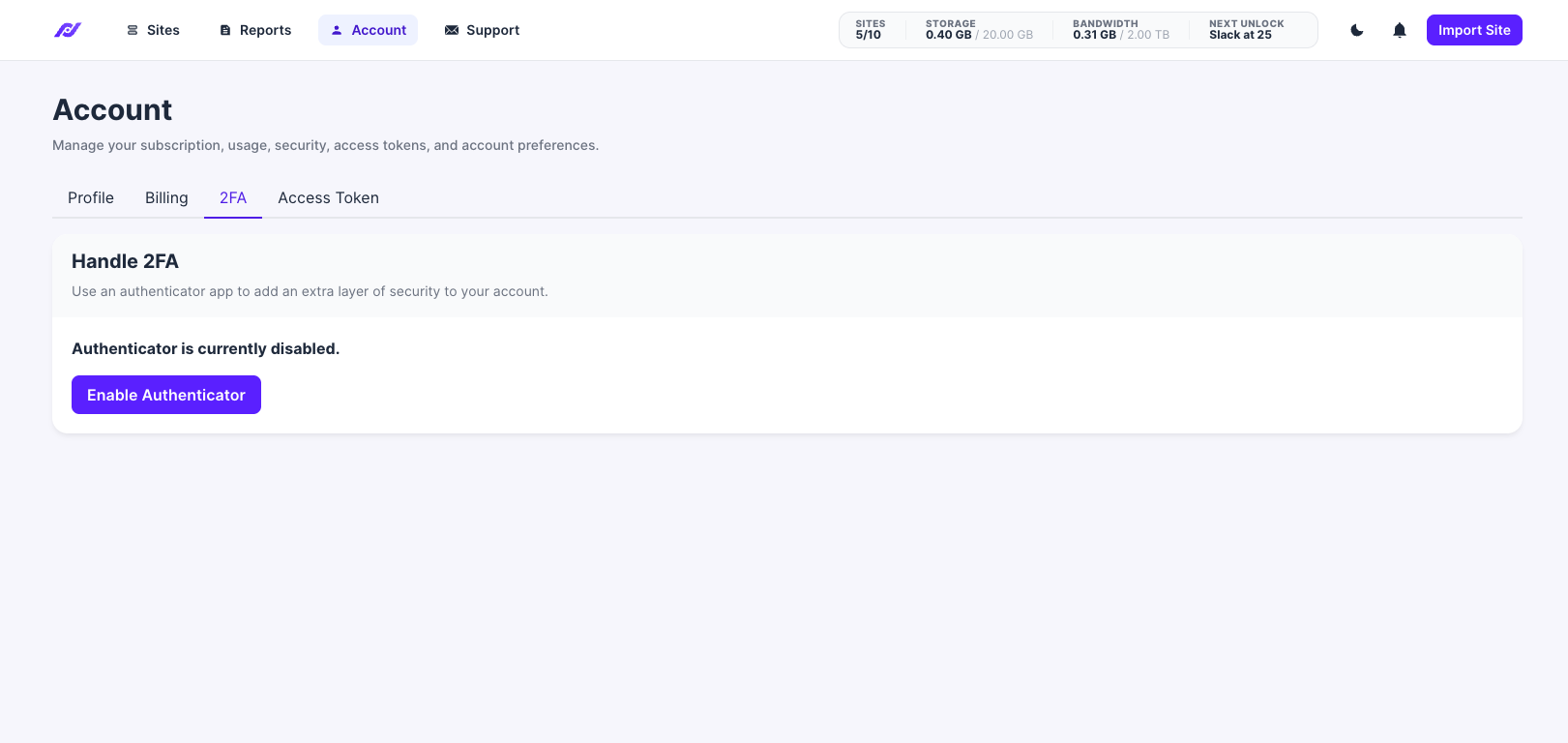
To enable 2FA:
- Open the Account menu.
- Click 2FA.
- Click Enable Authenticator.
- Follow the instructions shown in Static Studio to connect your authenticator app.
Once enabled, Static Studio will require an additional authentication code when signing in.
Manage your personal access token
Your personal access token can be used for automation workflows, CLI usage, or integrations with Static Studio.
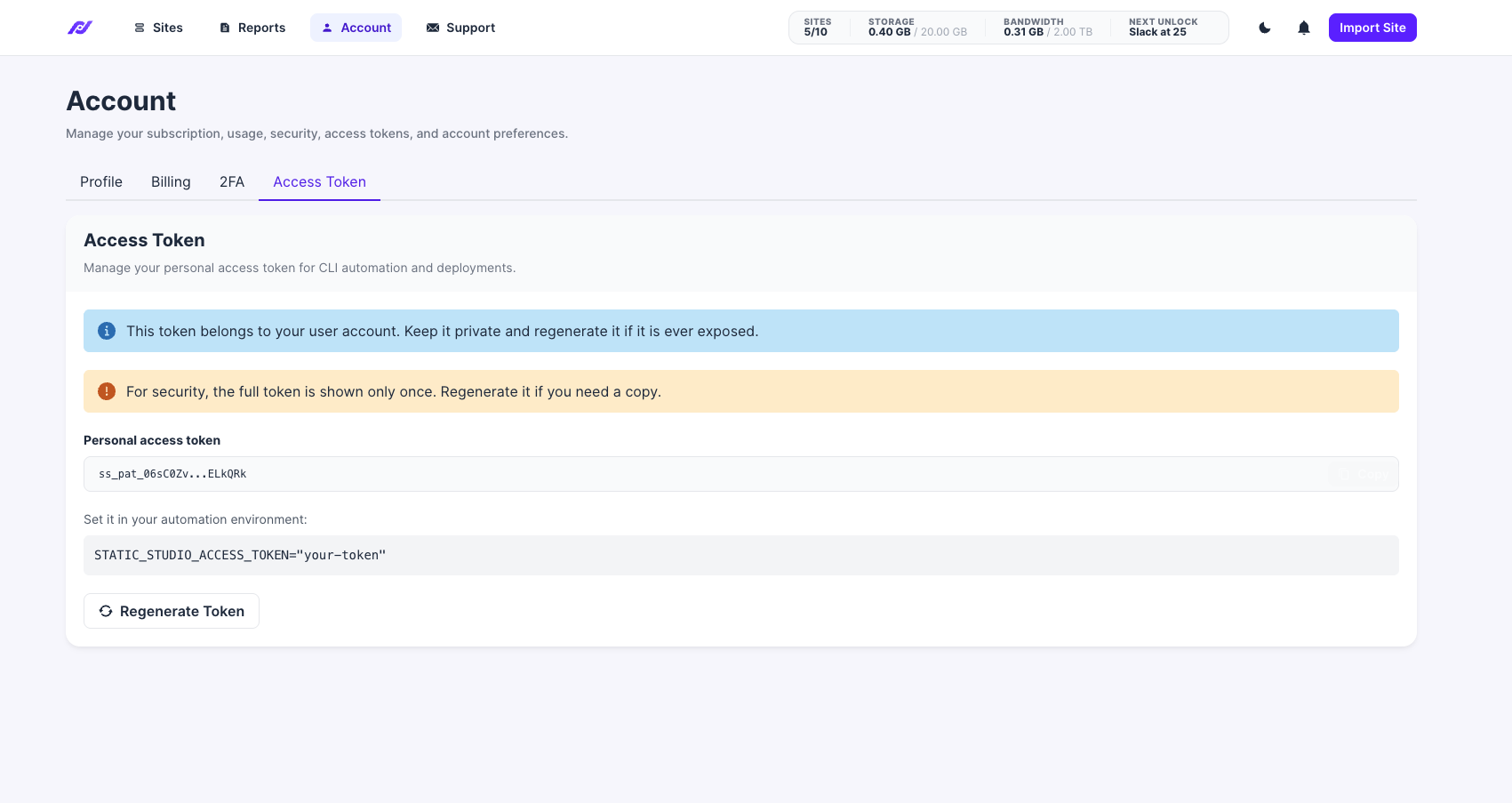
To view or regenerate your token:
- Open the Account menu.
- Click Access Token.
For security reasons, the full token is only shown once. If you no longer have access to the full token, click Regenerate Token to create a new one.
You can use the token in your automation environment like this:
STATIC_STUDIO_ACCESS_TOKEN="your-token"
Keep your access token private. If it is ever exposed, regenerate it immediately.
Delete your account
You can permanently delete your Static Studio account from the Delete Account area.
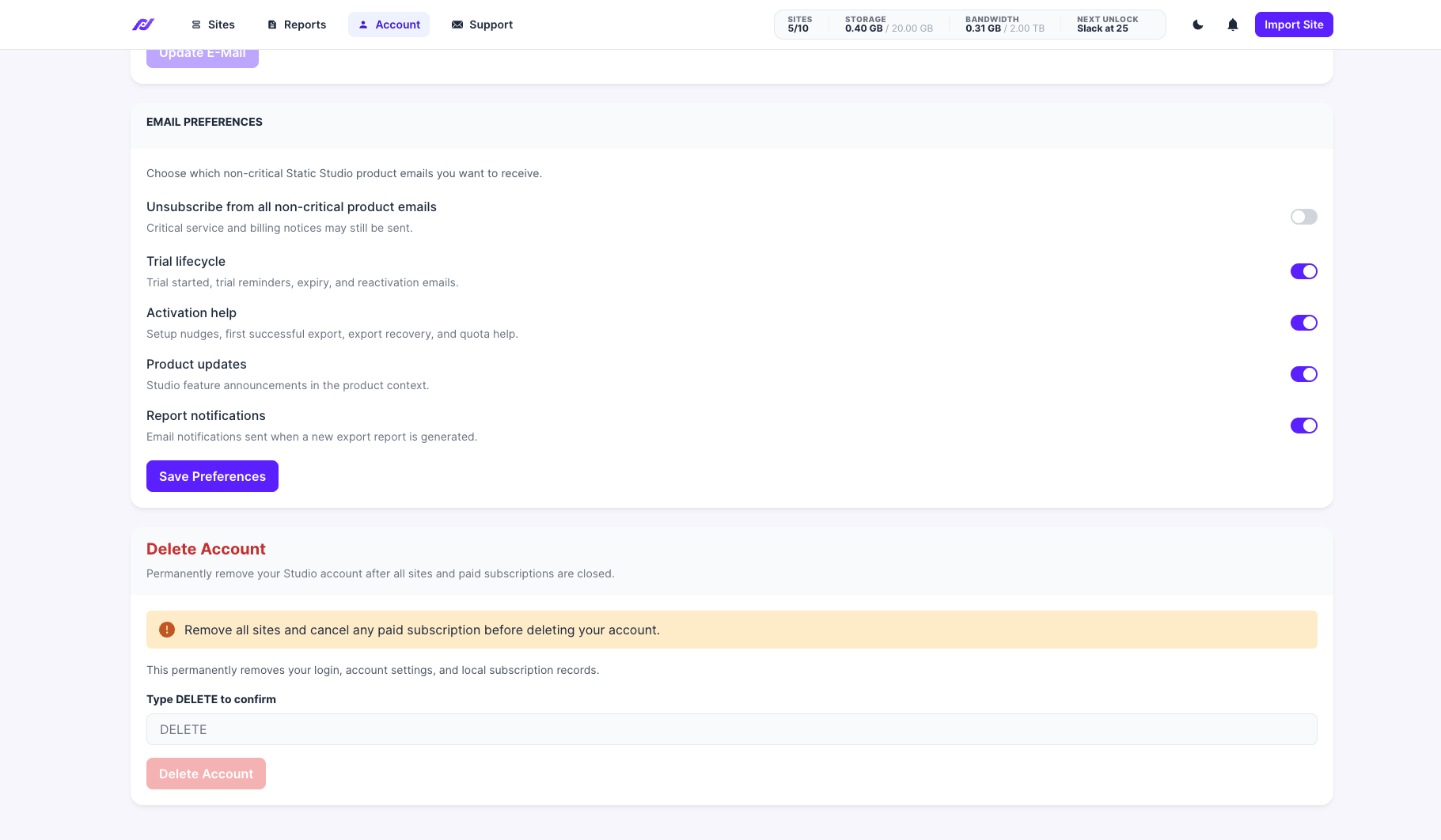
Before deleting your account, you need to remove all sites and cancel any paid subscription.
Deleting your account permanently removes your login, account settings, and local subscription records.
To delete your account:
- Open the Account menu.
- Click Profile.
- Scroll to the Delete Account area.
- Type
DELETEinto the confirmation field. - Click Delete Account.
This action cannot be undone.