
Import Site
Importing your existing WordPress website and running it statically is straightforward with our backup and migration plugin.
Install and activate the plugin
Download the plugin, install and activate it on your existing WordPress website. You will be automatically redirected to this page:

Create Backup
Click the Backup Site button and wait until the process finishes:

Push Backup
Logging into your Static Studio account will allow you to push your backup directly from within WordPress - no manual download and upload.
Add your e-mail and send yourself the OTP code for verification.

Once connected, simply click "Push to Studio", and it will send the backup straight to our service and start the migration for you.

Manually Import the Backup
You can also download the backup and manually import it to your Static Studio account.
Click on "Import Site", select your backup file, and click "Import Site"
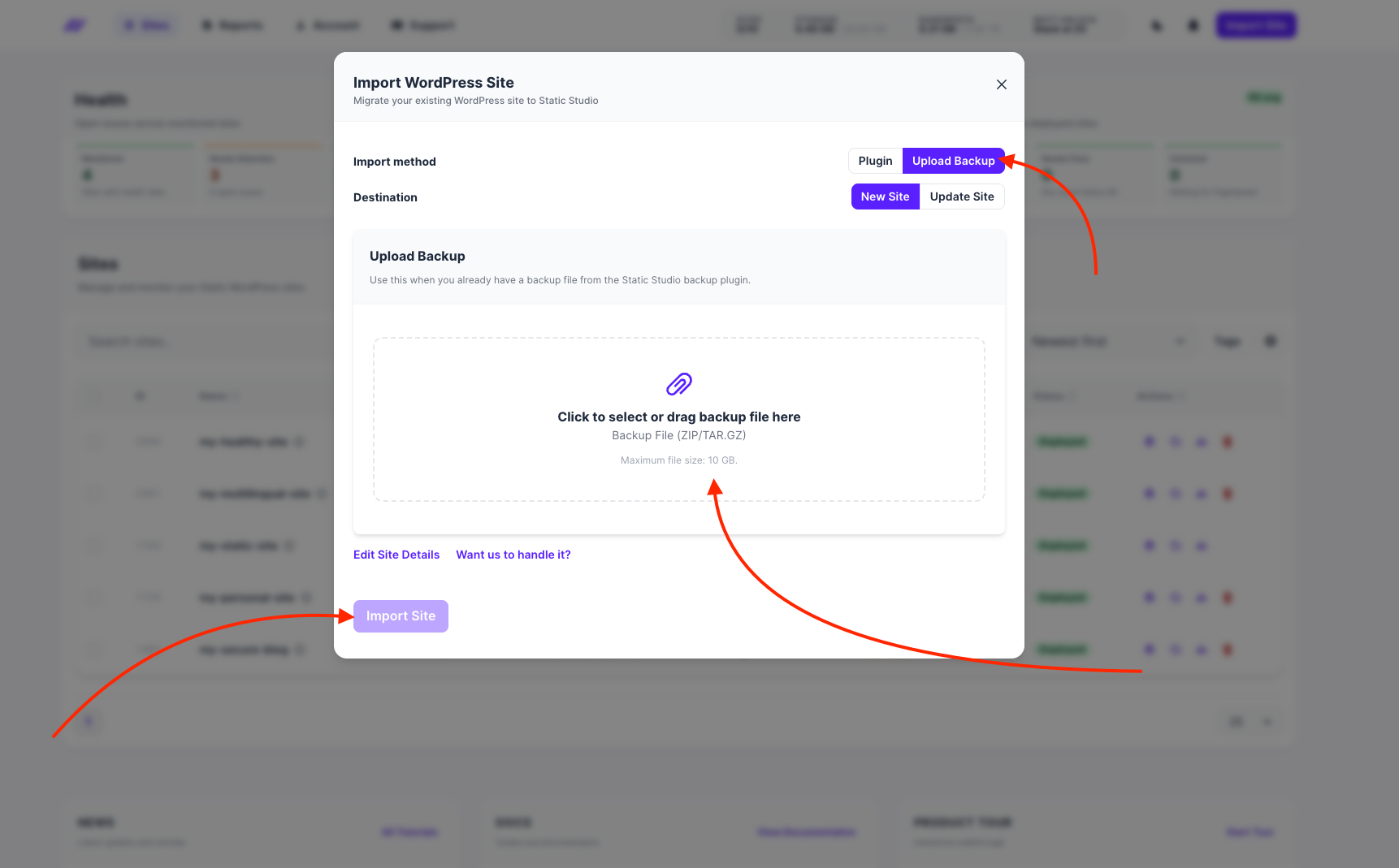
Once the upload has finished, we will automatically close the modal window and queue your website for deployment - lean back, you're done here, and we handle the rest for you automatically: