
Sign Up & Trial
Sign up
Open static.studio and select Start Trial. Enter an email address you can access, complete the displayed verification, and use the one-time code sent to that address to finish signing in. Review the displayed terms before submitting your registration.
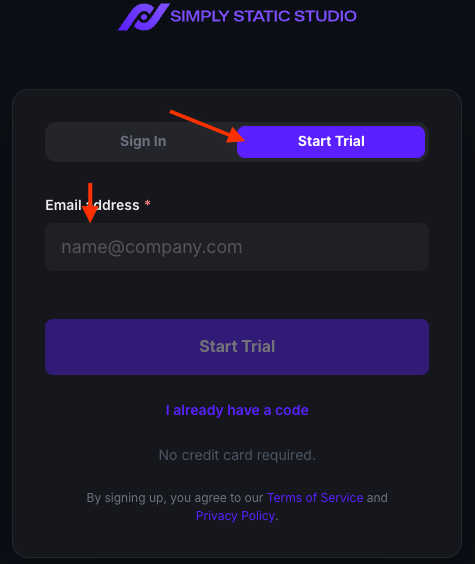
Existing customers should use Sign In. If you have already requested a code, choose I already have a code instead of requesting another one.
Your trial
The free trial lasts 14 days, includes up to three sites, and requires no credit card. You can learn the workflow first, create a new WordPress website, or import a private copy of an existing website.
The trial expires automatically without a subscription charge. Sites become eligible for cleanup after expiry, so download anything you need and choose a paid plan before the trial ends if you want to keep using them.
Choose your starting point
New trial accounts with no sites see a Get started with Studio welcome window. Choose the path that fits your project:
- Start product tour opens a short guided walkthrough of the publishing workflow.
- Create a WordPress site starts a new website without a backup or migration.
- Import a copy of my site lets you evaluate an existing WordPress website while your live site stays with its current host.
You can close the welcome window or choose Continue to dashboard and return to these actions later.
Take the product tour
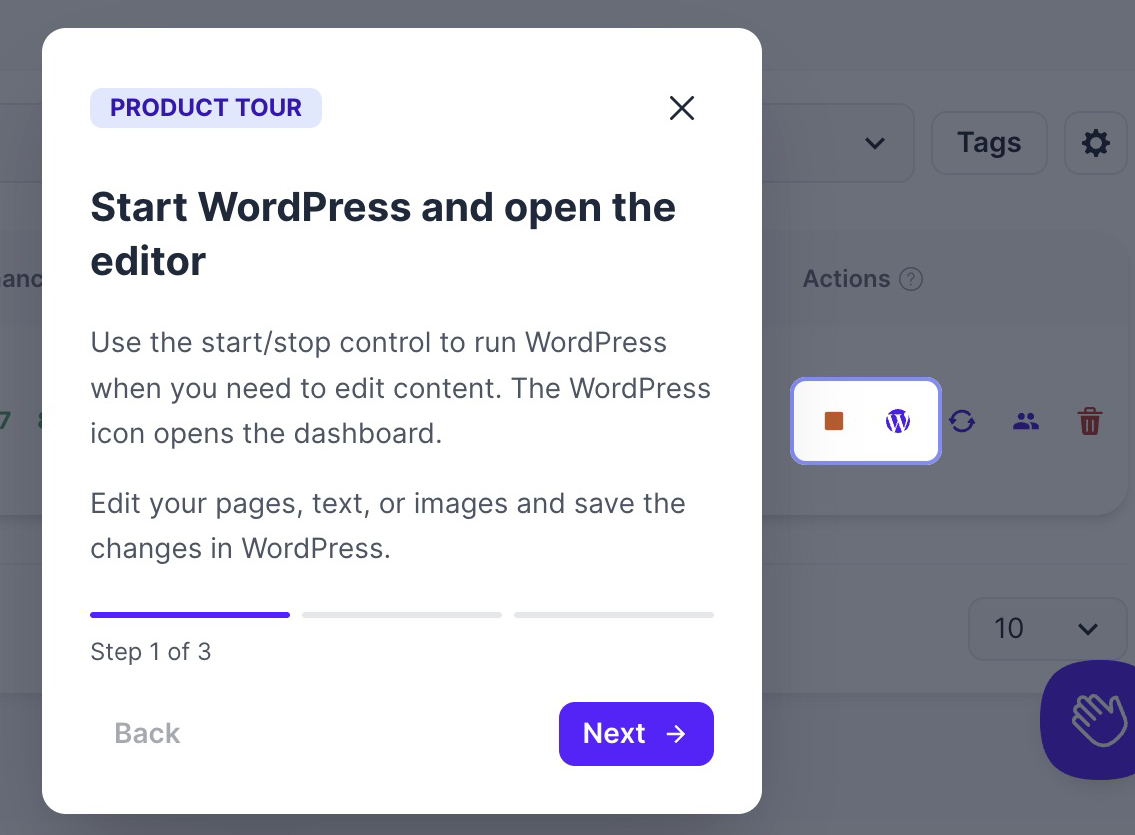
The three-step product tour explains how to start WordPress and open the editor, publish saved content changes, and preview the static site. It uses a sample company website to explain the controls; it does not create a website or publish changes to your own sites.
Use Next to move through the steps and Continue after the last step. You can then choose Add a website or Back to dashboard. You can also close the tour at any time.
To replay it, open Sites and click Start product tour in the Product tour card.
Add your first website
Click Add site in the top navigation and choose New WordPress site or Import an existing site. See Create a New Website or Import Site for the next steps.
With your own website, the publishing workflow is: start WordPress, edit and save your content, return to Studio, and publish through Push Changes. After publishing, check the result with Open Preview. You can stop WordPress once publishing finishes; your static site stays online.
The setup checklist keeps Connect your custom domain as a launch step. You can choose a paid plan before completing domain setup.
See Manage Sites for search, filters, site details, runtime controls, and publishing actions.